MacBook Air vs MacBook Pro: Which One Should You Buy in 2026?
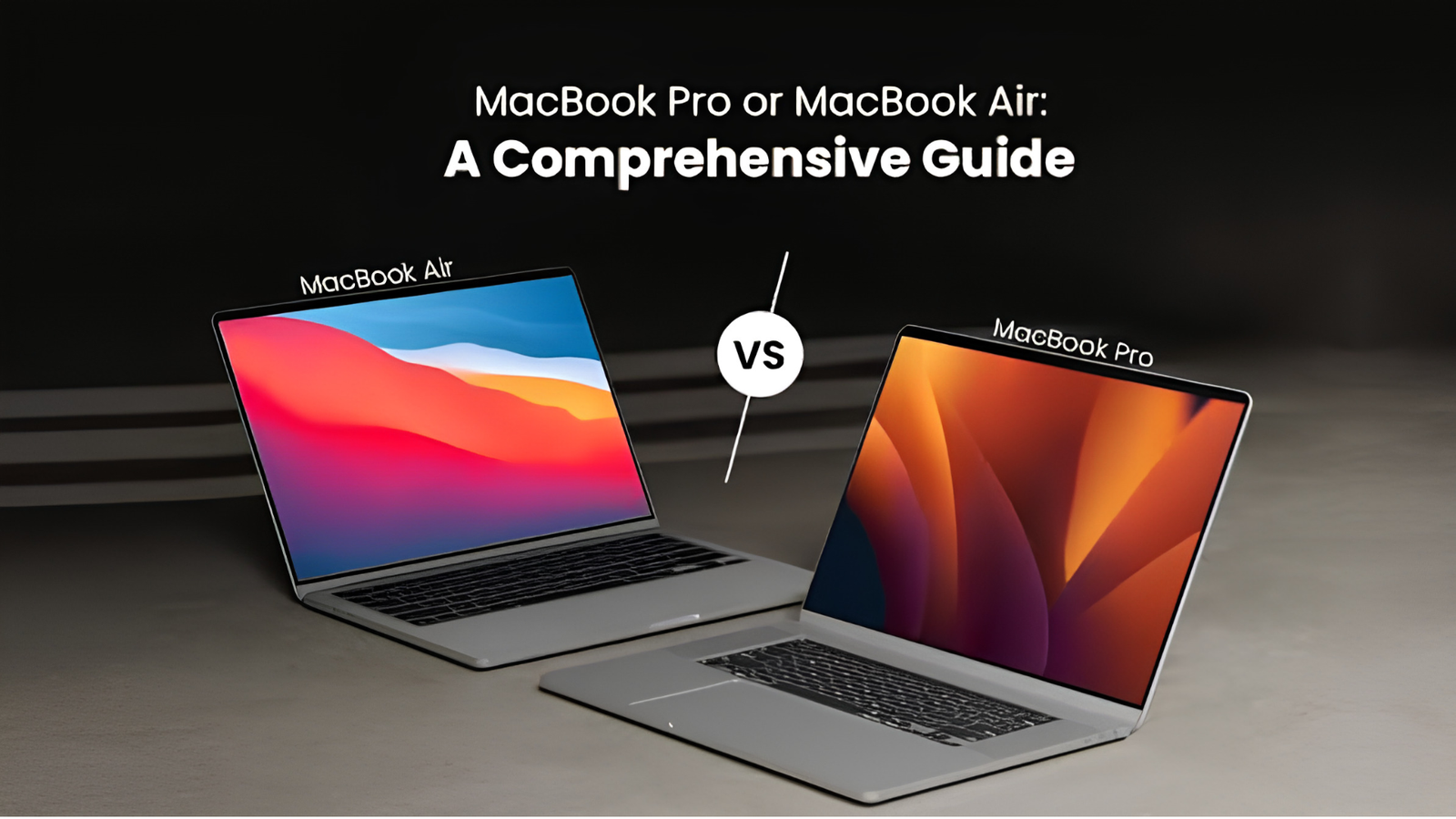
Choosing between the MacBook Air and the MacBook Pro has never been trickier. Apple refreshed the whole Mac laptop range with M5-generation chips in March, raised prices in June, and then spent the last week of October launching an M6 MacBook Pro and the company’s first touchscreen laptop. If you have been staring at two browser tabs for a week, trying to work out which machine deserves your money, you are in good company.
The good news is that the decision is simpler than the spec sheets make it look. Both laptops are excellent. Both will run for years. The real question is not which one is “better” but which one matches the way you actually work, travel, and spend your money.
In this guide, we compare the MacBook Air and MacBook Pro on everything that matters in 2026: price, performance, display, battery life, ports, cooling, memory, and storage. We also cover the new M6 and OLED models, whether you should wait, and who should buy what. By the end, you will know exactly which one to put in your cart.
A quick note on prices: laptop prices have moved a lot this year because of rising memory and component costs. The figures below were accurate at the time of writing, but always confirm on Apple’s website or with your retailer before you buy.
The Short Answer
If you want the fast answer, here it is.
Buy the MacBook Air if you mostly browse, write, study, manage spreadsheets, join video calls, edit photos casually, or do light coding. It is lighter, quieter, cheaper, and more than fast enough for most people.
Buy the MacBook Pro if you edit video, work with 3D or audio, compile large codebases, run local AI models, or simply want the best screen, the most ports, and a laptop that never slows down under pressure.
If you are somewhere in the middle, the 15-inch Air is often the smartest compromise. And if you are leaning toward a Pro, read the section on waiting, because the lineup just changed.
The 2026 MacBook Lineup at a Glance
Apple now sells three tiers of laptop, and understanding them makes the Air versus Pro question easier.
MacBook Neo is the new entry-level model, built around the A18 Pro chip and aimed at students and people with simple needs. It has been priced at the low end of the range, starting at $699 after a recent increase.
MacBook Air comes in 13-inch and 15-inch sizes with the M5 chip. It is Apple’s mainstream laptop and the one most people should consider first.
MacBook Pro now spans several variants. There is the 14-inch with the new M6 chip, the 14-inch and 16-inch models with M5 Pro and M5 Max chips, and the brand-new touchscreen OLED models that Apple calls the MacBook Pro with ProLED XDR Display.
This article focuses on the Air versus the Pro, but if your needs are very simple and your budget is tight, the Neo deserves a look too.
Price: The Gap Is Wider Than Ever
Price is the first thing most buyers check, and in 2026 it is a bigger deal than usual. Apple raised prices across the Mac range, and the company’s own supply chain has been squeezed by memory costs.
Here is the rough picture at the time of writing:
- MacBook Air 13-inch (M5): starts at about $1,299
- MacBook Air 15-inch (M5): starts at about $1,499
- MacBook Pro 14-inch (M6): starts at $1,999
- MacBook Pro 14-inch and 16-inch (M5 Pro / M5 Max): start above $2,000 and climb steeply, with fully loaded 16-inch M5 Max configurations reaching well beyond $7,000
- MacBook Pro with OLED touchscreen: starts at about $2,899
The takeaway is that the cheapest Pro costs several hundred dollars more than the cheapest Air, and the gap grows fast once you add memory and storage. A well-equipped Air with 24GB of memory and 1TB of storage can land close to the price of a base Pro, so it is worth pricing both machines with the same upgrades before deciding.
Education pricing helps. Apple’s student discount takes about $100 off the 14-inch M6 MacBook Pro, and Air models get similar savings. Retailers like Amazon, Best Buy, and B&H also discount Macs regularly, particularly around Black Friday, which is only weeks away.
Performance: How Much Power Do You Really Need?
This is where the Air and Pro are supposed to be miles apart, but the reality is more nuanced.
The MacBook Air with M5
The M5 chip in the Air has a 10-core CPU and a 10-core GPU, with Neural Accelerators built into each GPU core. Apple says this delivers up to four times the AI performance of the previous generation, and graphics are roughly 45 percent faster than the M4. In everyday terms, that means the Air handles web browsing with dozens of tabs, Office apps, Photoshop, Lightroom, Figma, light video editing, and programming without breaking a sweat.
To put this in perspective, the base M5 is faster than many older Pro-class chips from a few years ago. If your most demanding task is exporting a 10-minute 4K video once a week, an Air will do it without complaint.
The MacBook Pro with M5 Pro and M5 Max
The Pro line is a different animal. The M5 Pro and M5 Max use what Apple calls Fusion Architecture, which joins two dies into a single chip. That allows up to an 18-core CPU, up to 30 percent faster CPU performance than the previous generation, up to 128GB of unified memory, and memory bandwidth of up to 614GB/s on the top chip.
Why does that matter? Because tasks like multicam 4K or 8K editing, 3D rendering, large Xcode builds, music production with hundreds of tracks, and machine learning workloads depend heavily on memory bandwidth and sustained multi-core power. In multi-core tests, the M5 Max is nearly twice as fast as the M5 in the Air.
The New M6 MacBook Pro
Apple’s 14-inch MacBook Pro with M6 sits in a useful middle spot. It keeps the familiar design and the Liquid Retina XDR display, adds an improved wireless chip with Wi-Fi 7 and Bluetooth 6, and claims large gains in on-device AI and graphics over the M5 version. It starts at $1,999 and goes on sale November 6. Note that there are no M6 Pro or M6 Max chips yet, and there is no 16-inch M6 model.
The Practical Verdict on Speed
For roughly 80 percent of buyers, the Air is fast enough and will stay fast enough for five or more years. The Pro is for people whose income or deadlines depend on rendering, exporting, compiling, or training things quickly. If waiting three minutes versus one minute for an export genuinely costs you money, buy the Pro. If not, you are paying for headroom you will rarely use.
Display: The Pro’s Biggest Advantage
If you want one reason to pay more for a Pro, the screen is it.
The MacBook Air uses a Liquid Retina display. It is sharp, accurate, and bright enough for most rooms, and the 13-inch and 15-inch panels look great for work and entertainment. However, it is a standard LCD and it runs at 60Hz.
The MacBook Pro uses Liquid Retina XDR, a mini-LED display with local dimming. That brings much deeper blacks, far higher peak brightness for HDR video, and ProMotion, which adapts the refresh rate up to 120Hz for smoother scrolling and a more responsive Apple Pencil-style feel on cursor and animation movement. Color accuracy is outstanding, which is why video editors and photographers favor it. You can also order a nano-texture glass option on Pro models to cut glare in bright rooms.
Then there is the new flagship. The MacBook Pro with ProLED XDR Display uses a tandem OLED panel, adds touch input, introduces a Dynamic Island-style camera area, and is lighter than the current Pro models. Apple calls it the world’s best display in a pro laptop. It also brings back the illuminated Apple logo on the lid. It is aimed at people who want the absolute best screen and are willing to pay for it.
If you work with HDR video, grade photos, or simply spend ten hours a day staring at a screen and care about image quality, the Pro display is a real upgrade. If you mostly type and browse, you may not miss it.
Design, Weight, and Portability
Here the Air wins, and it is not close.
The 13-inch MacBook Air weighs under 3 pounds and is thin enough to disappear into almost any bag. The 15-inch Air is larger but still very light for its screen size. The Air has a fanless design, so it is completely silent, which many people love in libraries, lecture halls, and quiet offices.
The 14-inch MacBook Pro is noticeably thicker and heavier, at around 3.4 pounds or more depending on the model, and the 16-inch Pro is closer to 5 pounds. That extra weight comes from the larger battery, the cooling system, and the sturdier chassis. It is perfectly portable, but you will feel it if you carry it all day.
The new OLED Pro models are thinner and lighter than the older Pros, which narrows the gap a little, though they still sit above the Air in both weight and price.
If you commute, travel often, or carry your laptop between classes, the Air’s lightness is a daily quality-of-life benefit. If your laptop mostly lives on a desk, weight matters much less.
Battery Life
Both lines have excellent battery life, but the Pro pulls ahead on paper.
Apple rates the MacBook Pro for around 22 to 24 hours of video playback, depending on the model, which is the longest in the Mac lineup. The MacBook Air’s rated battery life is lower, though still strong at the high-teens range of hours for video playback, and in real-world mixed use most people get a full workday and then some.
What Apple says about the new touchscreen model is also interesting: executives said adding touch did not cost the MacBook Pro any battery life.
In practice, battery life depends heavily on what you do. A Pro running a heavy export will drain faster than an Air browsing the web. For typical office and school use, both will comfortably last all day without a charger, which was unthinkable on laptops just a few years ago.
Ports and Connectivity
This is another area where the Pro justifies its name.
The MacBook Pro offers three Thunderbolt 5 ports, an HDMI port, an SDXC card slot, a headphone jack with high-impedance support, and MagSafe charging. If you connect external monitors, card readers, and drives, or you shoot photos and video and need to offload cards, those built-in ports save you from carrying dongles.
The MacBook Air is simpler, with two Thunderbolt/USB-C ports, a headphone jack, and MagSafe charging. The Air handles one or two external displays depending on the model and configuration, but it will not match the Pro for multi-monitor setups or high-speed external storage.
If you already own a dock or hub, the port difference matters less. If you want to plug in a camera card and an HDMI TV without any adapters, the Pro wins.
Cooling and Sustained Performance
The Air is fanless. That means silence, but it also means that during long, heavy workloads the chip will eventually slow down to manage heat. For short bursts, such as opening apps, editing a photo, or exporting a quick clip, you will not notice. For a 45-minute video render or a long compile, you might.
The Pro has active cooling with fans, so it can hold its peak speed for hours. That is a big part of what you pay for. A Pro running at full load stays fast, though the fans can be audible when pushed hard.
In short: if your work comes in short bursts, the Air is ideal. If it comes in marathons, the Pro is the better tool.
Speakers, Microphones, and Camera
For video calls and media, both laptops are strong. Both have a 12MP Center Stage camera and studio-quality three-microphone arrays, so you will look and sound good on calls.
The Pro has the better speaker system, with a multi-driver setup that produces fuller bass and wider sound, and it supports Spatial Audio very convincingly. The Air’s speakers are impressive for such a thin machine, but if you watch a lot of movies without headphones, the Pro sounds noticeably richer.
Memory and Storage
Memory and storage are where people either save money wisely or regret it later.
The M5 MacBook Air now starts with 16GB of memory, which is a welcome improvement, and you can configure it with 24GB or 32GB. Storage tops out at 4TB, double the ceiling of the previous model. For most people, 16GB is enough today, but if you plan to keep the laptop for six or seven years, or you run virtual machines and heavy creative apps, 24GB is a sensible upgrade.
The M5 Pro and M5 Max MacBook Pros start with more. Base memory on the M5 Pro begins at 24GB, and storage starts at 1TB across the Pro and Max configurations, up from 512GB before. The M5 Max can reach 128GB of unified memory.
A useful rule: memory and storage cannot be upgraded after purchase on any Mac laptop. Whatever you buy is what you live with, so spend the extra money upfront if you can afford it. Running out of storage is more annoying than running slightly slower.
On local AI, memory is the key number. If you want to run large language models on your own machine, more unified memory lets you load bigger models. That is an area where the Pro with 48GB, 64GB, or more pulls well ahead.
Who Should Buy the MacBook Air?
The Air is the right choice for most people. Pick it if you are:
- A student. It is light, quiet, and handles papers, research, coding assignments, and streaming with ease.
- A remote or office worker. Email, documents, meetings, spreadsheets, and presentations are all effortless.
- A writer, blogger, or marketer. You will spend your time in browsers and writing apps, and battery life and portability matter more than raw power.
- A casual photographer or hobbyist editor. Lightroom and short video projects run well.
- A beginner programmer. Web development and most software projects run smoothly.
- A traveler. Nothing beats an Air for carrying around all day.
Choose the 13-inch if portability is your priority and the 15-inch if you want a bigger screen for split-window multitasking without moving up to a Pro.
Who Should Buy the MacBook Pro?
Spend the extra money on a Pro if you are:
- A professional video editor or motion designer. Longer timelines, higher resolutions, and heavy effects need the extra cores, memory bandwidth, and sustained cooling.
- A 3D artist or game developer. Rendering and real-time previews benefit enormously from the stronger GPU options.
- A music producer or audio engineer. Large sessions with many plugins and tracks need the headroom and the ports.
- A software engineer on large projects. Big builds, containers, simulators, and virtual machines all run faster with more cores and memory.
- A data scientist or AI developer. Large memory capacity is what makes local model work possible.
- A photographer who shoots a lot. The built-in SDXC slot and the bright, accurate display speed up your workflow.
The 14-inch is the sweet spot for most Pro buyers. The 16-inch makes sense if you want the biggest screen, the strongest cooling, and the top-tier Max chip options.
Should You Wait? The October Launch Changes Things
This is the section that did not exist a month ago.
In late October, Apple announced two Pro updates. The 14-inch MacBook Pro with M6 starts at $1,999 and ships on November 6. It keeps the familiar design and mini-LED screen but adds the new chip and faster wireless. The OLED touchscreen MacBook Pro, with a starting price around $2,899, offers a tandem OLED display, touch input, a thinner and lighter body, and M5 Pro or M5 Max chips. It also launches on November 6.
That creates a clearer set of choices:
- If you want a Pro at the lowest price, the M6 14-inch is now the entry point, and it is a better buy than an M5 version at a similar price.
- If you want the best screen and are curious about touch, the OLED model is the one, though it costs significantly more and the first generation of any redesign carries some risk.
- If you are buying an Air, none of this changes much. The Air line was not part of the October launch, so you can buy with confidence. A new Air is more likely to arrive next spring.
So, should you wait? If you need a laptop now, buy now. Whatever you buy will be great, and “the next one is always coming” applies to every technology purchase. If you are eyeing a Pro and can wait until November 6, you will have reviews and real-world impressions to guide you. Reports also suggest a redesigned M7 MacBook Pro could arrive in the first half of 2027, so if you care about owning the very latest design, that is worth keeping in mind.
Smart Buying Tips
Before you click “buy,” keep these tips in mind.
Price both machines with the same specs. Add the memory and storage you actually need to both laptops, then compare. You may find the gap is smaller or larger than you expected.
Do not overbuy the chip. If you are not sure you need an M5 Max, you almost certainly do not. The M5 Pro or even the M6 is plenty for most professional work.
Prioritize memory over storage if money is tight. You can add external storage cheaply. You cannot add memory later.
Look for deals. Black Friday is close, and retailers often discount recent Macs by $100 to $200, sometimes more on previous-generation stock.
Check the refurbished store. Apple’s certified refurbished Macs come with a new battery shell and a one-year warranty, and they usually cost noticeably less.
Consider AppleCare+. Laptops get dropped and spilled on. If you travel a lot or use your Mac in rough conditions, coverage can pay for itself.
Think about the next five years. A Mac is a long-term purchase. Buying slightly more capacity than you need today usually saves money and frustration later.
Frequently Asked Questions
Is the MacBook Air good enough for programming?
Yes, for the vast majority of programmers. Web development, mobile apps, scripting, and data analysis all run smoothly. Only very large builds, heavy virtual machines, or local AI model training justify moving to a Pro.
Is the MacBook Pro worth the extra money?
It is worth it if you will use its strengths: the better display, sustained performance, more ports, longer battery life, and higher memory ceilings. If you will not, the Air gives you almost everything else for much less.
Can the MacBook Air edit 4K video?
Yes. Short to medium 4K projects in Final Cut Pro or Premiere Pro work well on a modern Air. Longer timelines with heavy effects and multiple streams are where the Pro starts to make a real difference.
How long will a MacBook last?
Apple laptops commonly stay useful and supported for six to eight years. Buying more memory and storage upfront helps your machine age more gracefully.
Should I buy the 13-inch or 15-inch Air?
Pick the 13-inch if you prioritize weight and price. Pick the 15-inch if you want a larger workspace for multitasking, writing, or spreadsheets, and do not mind a slightly heavier laptop.
Is it worth waiting for the next MacBook?
Only if the new feature genuinely matters to you. The M6 and OLED Pro models launch on November 6, and a redesigned Pro is rumored for 2027. If you need a computer now, buy now.
Does the MacBook Air have a fan?
No. The Air is fanless and completely silent. The trade-off is that it can throttle under long, heavy workloads. The Pro has fans to avoid that.
Final Verdict
There is no wrong choice here, only a right choice for you.
If you want a thin, quiet, affordable laptop that does almost everything well, buy the MacBook Air. It is the best overall Mac for most people in 2026, and the 16GB starting memory makes it more future-proof than any Air before it.
If your work is demanding, your income depends on speed, or you simply want the best screen, ports, and battery life Apple makes, buy the MacBook Pro. The new M6 14-inch is a strong entry point, and the OLED touchscreen models are the ones to watch if you want the most advanced display and can afford it.
Start by honestly asking what you do with your laptop on a normal week. If the answer is “browse, write, study, and stream,” save your money and take the Air. If the answer is “edit, render, compile, or create for a living,” the Pro will pay you back every day.
Whichever you choose, you are getting one of the best laptops on the market.